Email send methods
Choose how Back in Stock Alerts delivers notification emails. Your choice affects the sending domain and where the email template is managed.
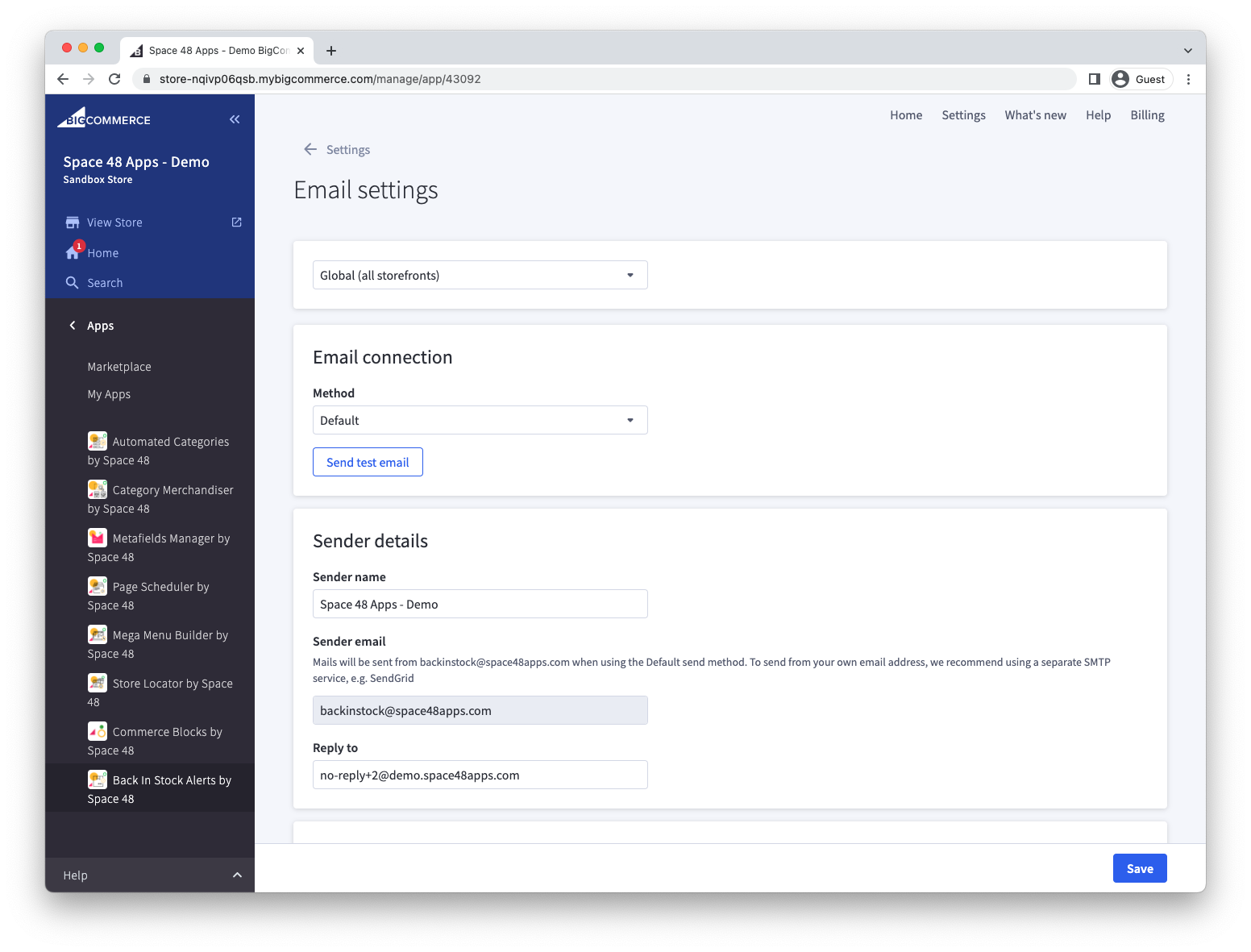
The Email connection panel offers Default, SMTP and Dotdigital. After configuring a method, select Send test email and confirm that the message arrives before relying on the method for customer alerts.
Use the default delivery service
The default method sends email through Hypa's delivery provider. Messages come from backinstock@space48apps.com, a legacy technical sender address that remains in use, and display your configured sender name. The reply-to address defaults to the email in your BigCommerce store settings, and you can change it in the app.
Bring your own SMTP service
Use SMTP when notification emails must come from your own domain.
- Obtain the SMTP host, port and credentials from your email provider.
- Select the SMTP delivery method in Back in Stock Alerts.
- Enter the credentials and sender details.
- Save the settings and send a test email.
If you use SendGrid, see its SMTP integration documentation.
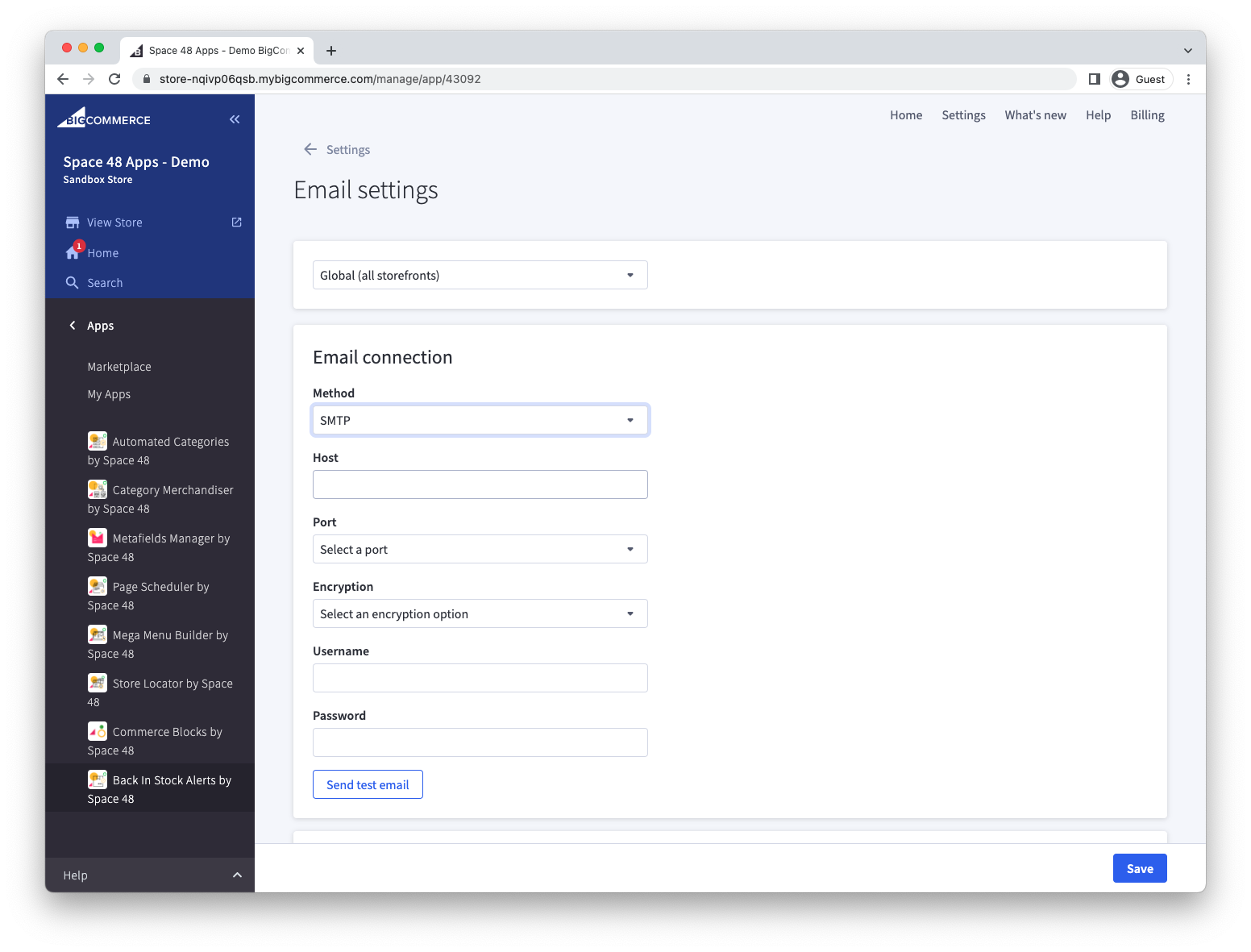
The SMTP form includes common ports such as 25, 465, 587, 1025 and 2525, plus Custom when your provider gives you another port. Choose the encryption option required by your provider, such as SSL, TLS or STARTTLS.
Use the Dotdigital integration
Connect Dotdigital API credentials, then choose either:
- Manage the template in Back in Stock Alerts and use Dotdigital only for delivery.
- Select a Dotdigital triggered-campaign template and manage the design in Dotdigital.
A triggered campaign can use these integration variables:
FIRSTNAMEPRODUCT_NAMEPRODUCT_PRICEPRODUCT_INVENTORY_LEVELPRODUCT_URLPRODUCT_LINKPRODUCT_IMAGEPRODUCT_IMAGE_URL
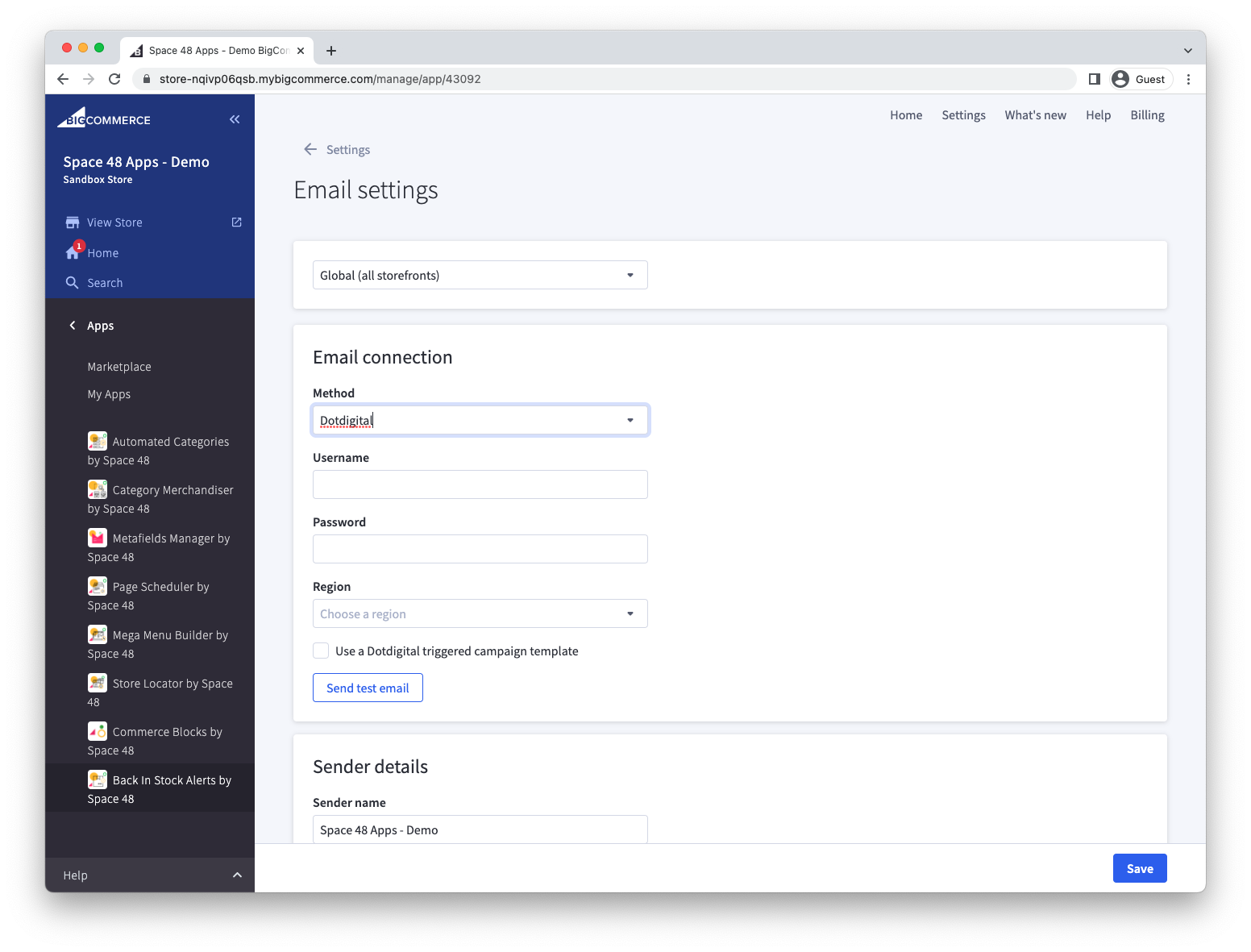
When you use a Dotdigital triggered campaign template, manage the email design in Dotdigital rather than in the app's Email template panel.
Sender details
Set Sender name to the name customers should see in their inboxes and Reply to to the address that should receive responses. Check these values with a test email, especially when using SMTP or Dotdigital.
For another provider, email support@hypaapps.com with the integration you need.