Change when notification emails are sent
Choose a notification strategy that balances customer demand with the amount of stock returning. Back in Stock Alerts stops a gradual campaign when the item goes out of stock again or everyone has been notified.
On Alert settings, first set Stock level required to trigger emails. A value of 2 makes a product eligible for notifications when its inventory reaches two units. For gradual strategies, also choose the batch size, delay between batches and whether older or newer requests are notified first.
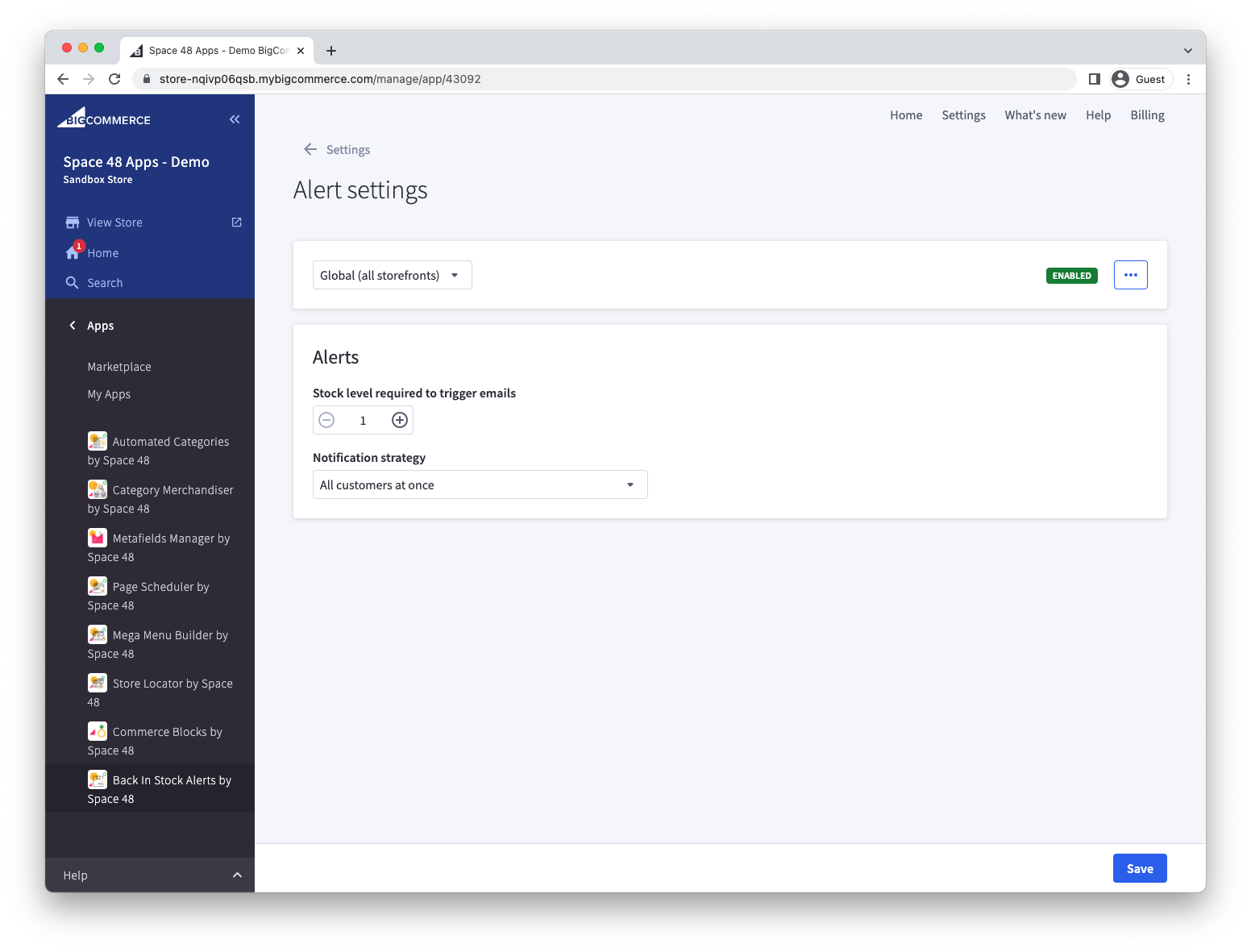
Notify everyone at once
Choose All customers at once to email every waiting customer when at least one unit returns to stock. Use it when incoming stock is normally sufficient for the expected demand.
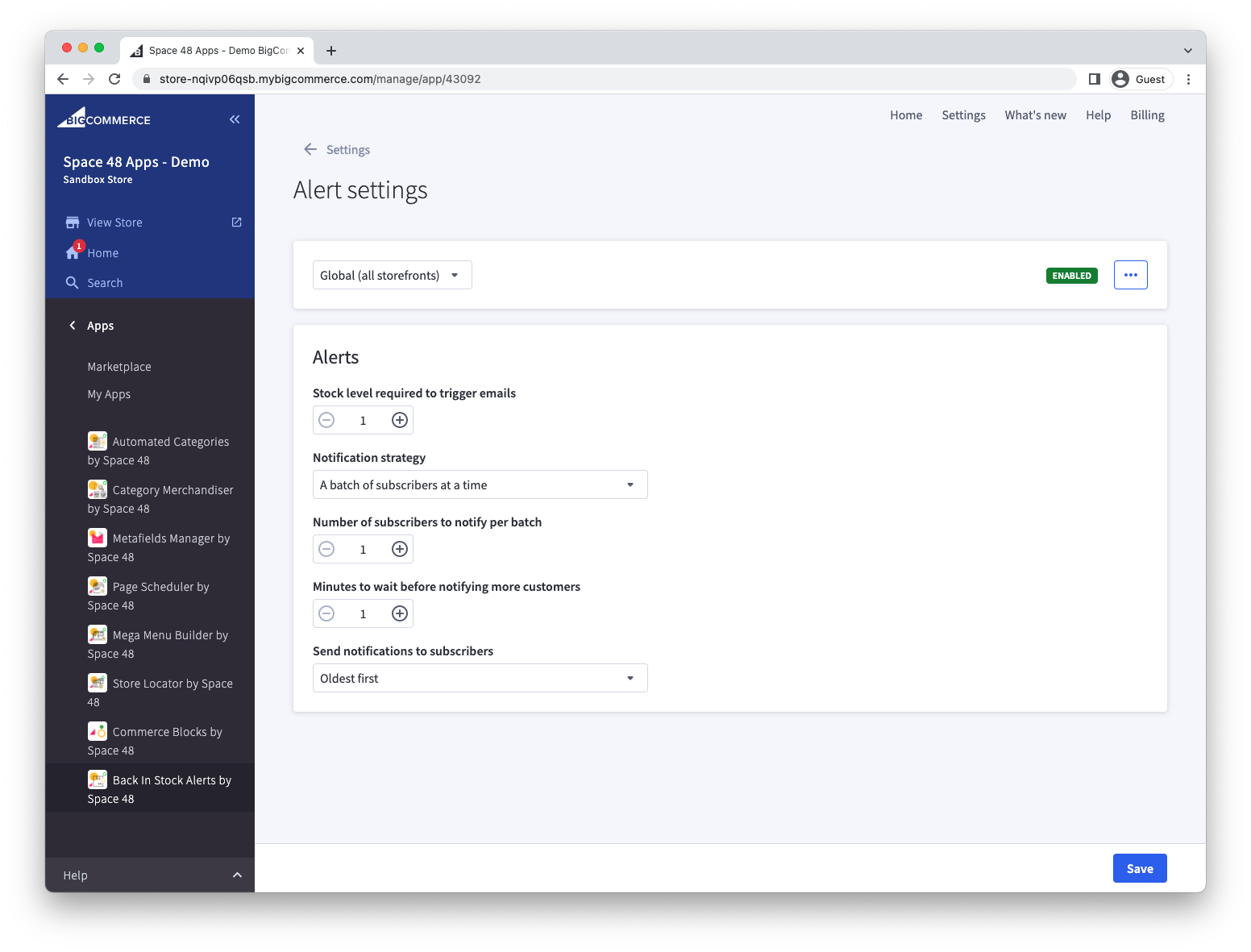
Notify a fixed number of customers at a time
Choose A batch of subscribers at a time to send alerts to a limited group, wait for the configured interval, then send the next group if the item remains in stock. Use it for products where demand regularly exceeds incoming stock.
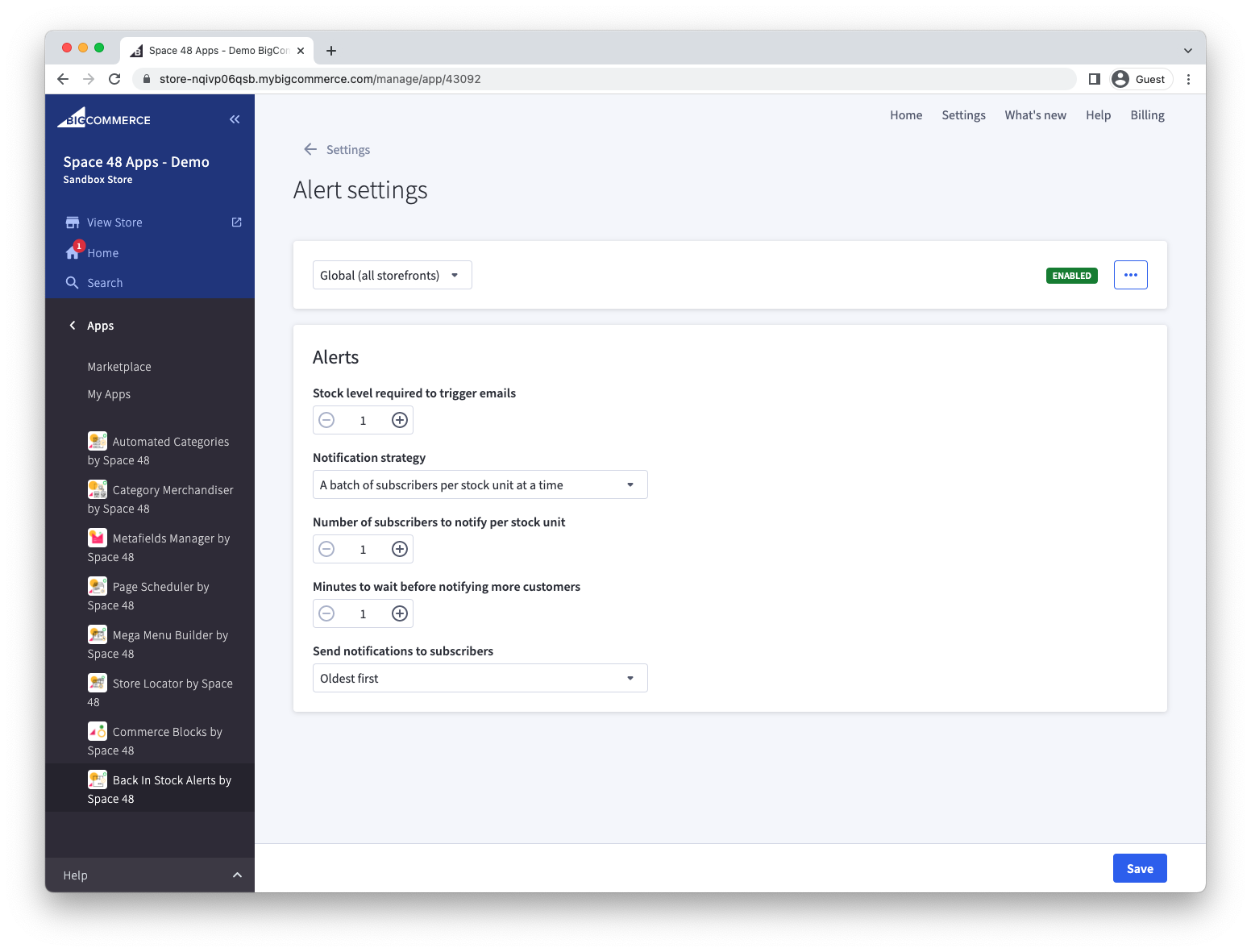
Notify customers according to stock quantity
Choose A batch of subscribers per stock unit at a time to set how many customers to notify per unit of stock and how long to wait before checking again.
For example, suppose 100 customers are waiting, five units return, and the strategy is five customers per unit every 60 minutes. The first batch contains 25 customers. If the item remains in stock, the app continues with further batches until everyone is notified or the item sells out.
After saving a strategy, review sent notifications to confirm that emails are being released as expected.