Importing alert requests
Import alert requests when moving from another back-in-stock service or adding consented requests collected elsewhere.
info
Import only customers who agreed to receive back-in-stock notifications for the products in the file.
Prepare the CSV file
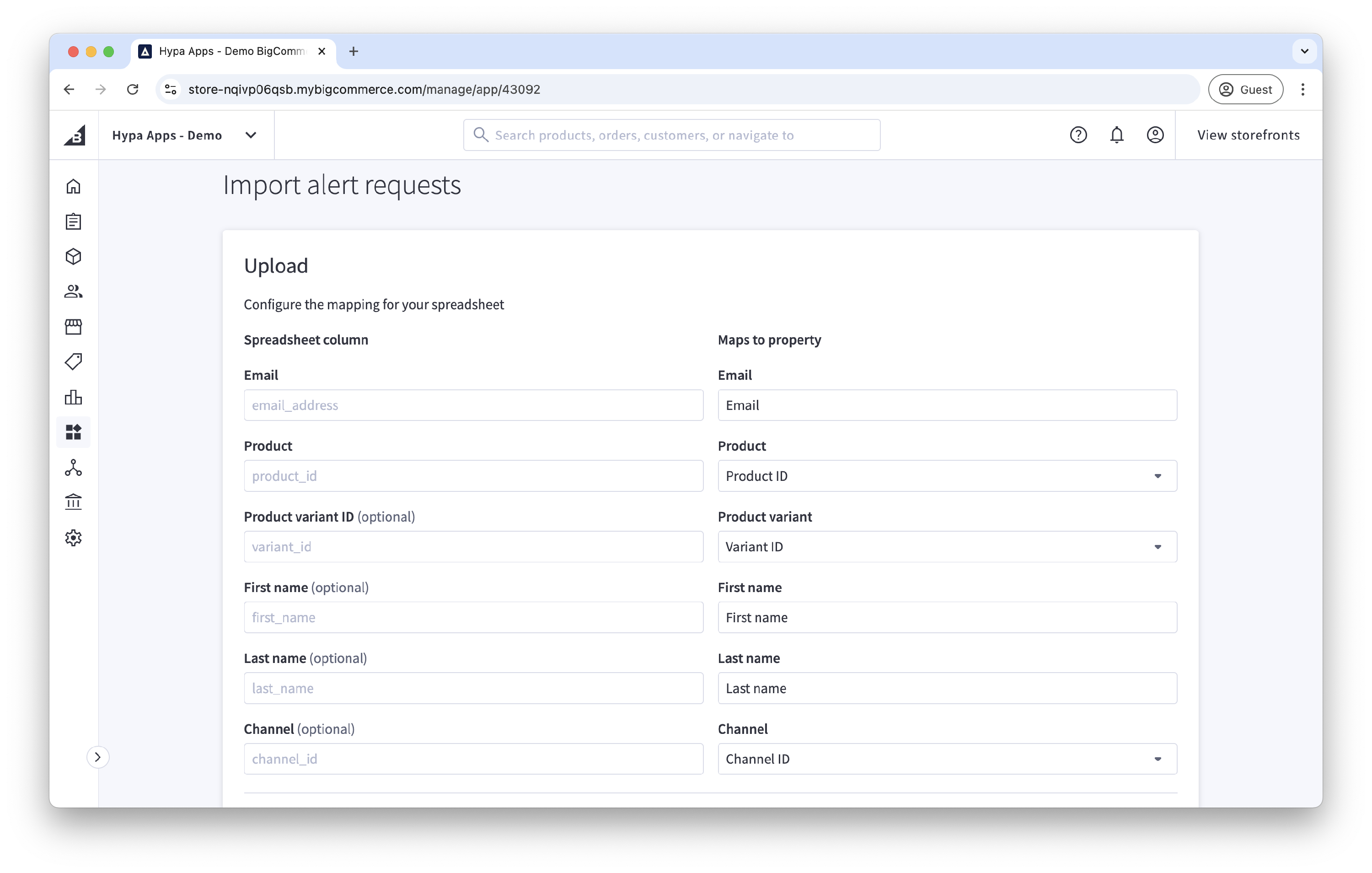
Include a header row and, at minimum:
- Email address
- BigCommerce product ID
For a product with variants, also include its BigCommerce product variant ID so the correct variant triggers the notification.
You can also import:
- First name
- Last name
- Channel ID or channel name
Upload and map the file
- Open View all alert requests.
- Open the … actions menu and select Import.
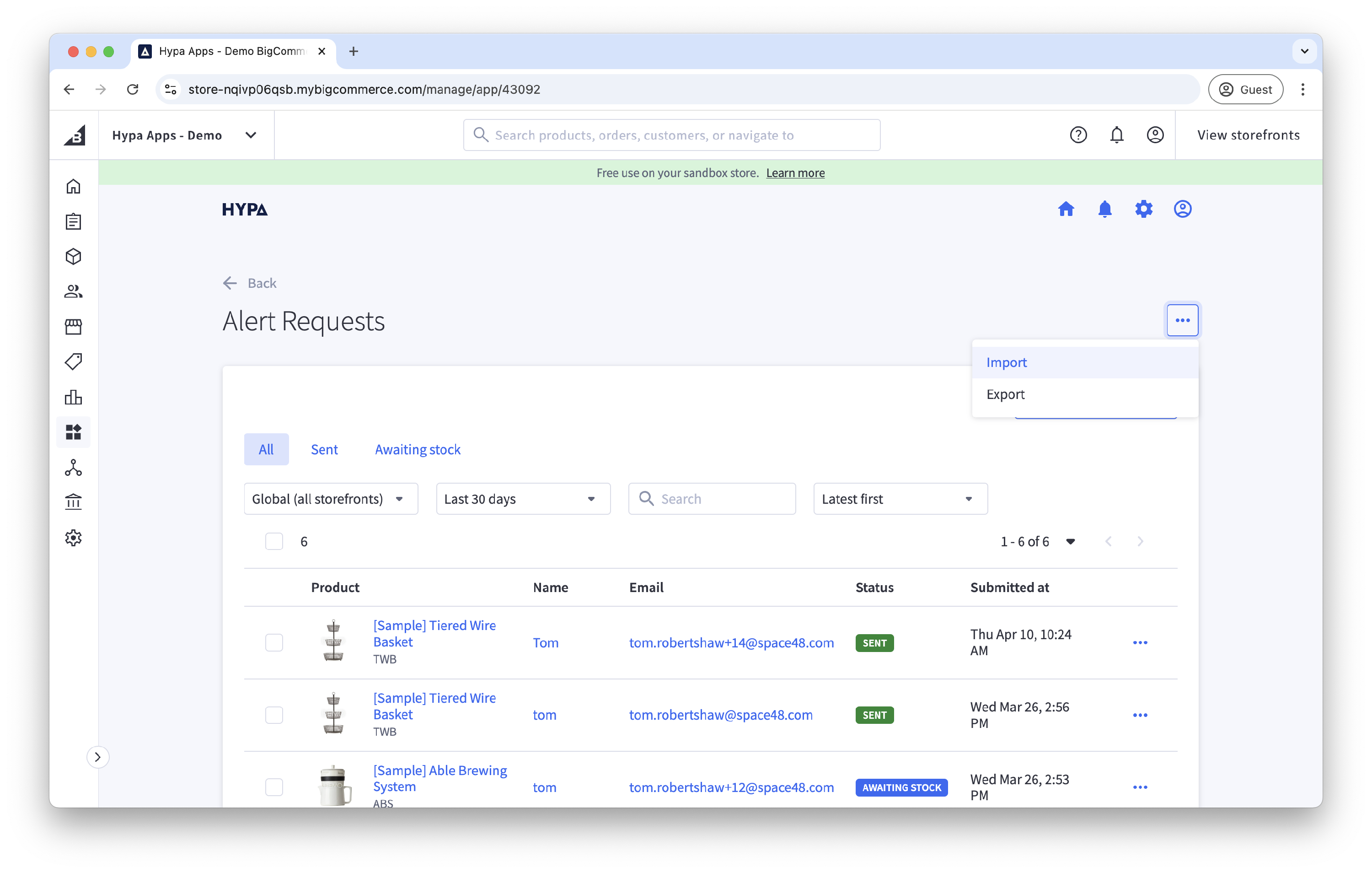
- Enter each CSV column heading and map it to the corresponding Back in Stock Alerts field.
- Select the CSV file.
- Select Upload.
Existing requests with the same email address, product, variant and channel are updated. After the import completes, search the alert-requests list for a customer from the file to confirm that the mapping was correct.